The Gadget Clinic
Build a Custom PC
Design bespoke PCs tailored to your exact needs using an easy-to-use graphical interface that ensures compatibility at every step of the process. Find the PC you want with ease at The Gadget Clinic.
Intuitive PC Builder
Build unique custom PCs designed around your specific needs through a straightforward graphical interface, with compatibility verified at each step of the process. We’ll take care of you from start to finish.
3-Year warranty
Enjoy a 3-year warranty included with every build, or opt for an extended package covering parts, labour, and collection for only £79.99 per PC. Peace of mind gives you complete confidence in our service.

Home, Office, or Gaming
Experience smooth performance for work, gaming, and creative tasks without compromise.
3-Year warranty

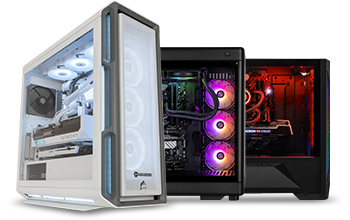
Gaming or Professional
Designed for avid gamers, dedicated professionals, multitaskers, and tech enthusiasts.
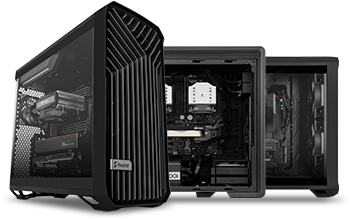
Workstation
Powerful systems built for demanding professional tasks across various industries.

Why Choose The Gadget Clinic?
For over 10 years, we’ve been designing and building custom PCs with a level of precision and expertise that’s like nothing else out there! Our engineers aren’t just assembling parts because they’re professionals who’ve spent years perfecting their own builds—one even holds awards as a top overclocker and gamer. This is more than a job – it’s a genuine passion and we absolutely love what we do.
Our unique configurator gives you the freedom to design your own custom PC from the ground up, with over 309 trillion possible configurations. It’s an easy-to-use, graphical interface where every component is compatibility-checked as you go, ensuring your build is flawless every time.
How It Works...
When you click the “Build My Device” button, you’ll be taken to our build page, where you’ll see various component options along with their prices.

Step 1: Choose a Case
Start by selecting the case for your PC. We have a wide selection, complete with descriptions and specifications. Click “More Information” under each part for additional details.

Step 2: Select Required Components
Essential components are labeled with +'Required to complete the build' and must be chosen. After selecting all the required components, you can add optional extras like monitors if desired.

Step 3: Review and Adjust
On the right side of the page, you'll see a summary of your selected components and their total cost in red. You can modify or remove items as needed, and the build costs will update accordingly.